How To Dj Right Pdf Download Free

In the class of trying to manage, view, and edit PDF documents, you may have used a free PDF editor in the past, either online or offline. Just have you ever asked yourself the question: "What is the best PDF editor for costless?" If you lot're non a heavy PDF user, y'all probably won't crave a proper PDF editing tool. Nevertheless, we recommend that you find some free PDF editor software online and offline to help become you through the chores of editing documents, filling forms, applying electronic signatures, and and then on. And that's what this article is all well-nigh.
Role 1: When Would You Need to Edit PDFs for Complimentary?
Every bit the world becomes more than digitally transformed, it's inevitable that you will come across PDF documents in the course of a normal day - invoices, contracts, eBooks, depository financial institution statements, credit bill of fare statements, tax forms, insurance forms… these are just some of the examples of the widespread use of PDF. Here are several use cases where you're not a regular PDF user but still need a robust and gratis PDF tool to bargain with the job at hand:
- Filling out interactive PDF forms
- Signing a document and sharing information technology online
- Making annotations on a project document to provide feedback
- Marking up a file for corrections
- Adding or deleting texts and images for proofreading.
For the above common PDF usage scenarios, it will be easily realized past using a PDF editor, such as Wondershare PDFelement - PDF Editor, an all-in-ane PDF Solution, making yous tin edit pdf files with ease. For example, information technology helps you lot add, delete texts, images, watermarks, groundwork, forms, then on. It's uniform with Windows, Mac, iOS, and Android systems, and you can endeavour it for gratuitous. Likewise, if you lot want to use an online PDF editor, hither are some options for you beneath. You lot can cull the right PDF editor based on your need.
Part two: TOP Free PDF Editor for Windows
1. PDFelement - Easy-to-apply PDF Editor
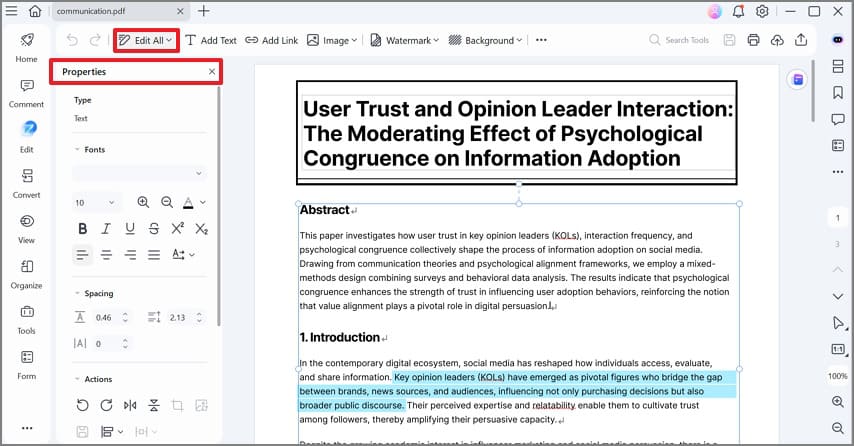
PDFelement is an outstanding PDF editor for Windows that tops the list. Information technology is a worthy alternative to Adobe Acrobat, which has been widely regarded as the industry standard when it comes to PDF editing. The skillful thing is that this wonderful PDF editor has a free trial that comes with bones PDF editing solutions. Meanwhile, the paid version offers good value for the price, as information technology is affordable when compared to other PDF editors.
It boasts of a lot of incredible features which include annotating, editing, and converting PDFs to other formats, adding signatures, and filling PDF forms. In fact, this best Windows PDF editor gives you a complete solution to edit PDF files like never before. For instance, it can assistance you edit pdf text, add together, remove, extract images from PDF, edit and remove watermarks, groundwork, and and so on. More importantly, it allows y'all to enjoy a large cloud storage space (up to 100GB) from Wondershare Document Cloud. Download this simple PDF editor at present.
Pros
- PDFelement can do what Adobe tin do, making information technology the editor with the best value for money.
- Users can try it out before they commit to ownership it.
- Its simple pattern provides a convenient interface for both beginners and pros.
- Information technology is secured with your documents.
- It has OCR technology, which allows you to edit/extract the PDF files from scanning.
- Moreover, information technology possesses the Document Cloud service, making you admission your cloud documents on any device.
- Information technology allows y'all to edit, convert, annotate, sign, protect, compress PDF files, and and so on.
Cons
- It has express features when used as a free PDF editor with the trial version.
Toll
- The free version offers basic PDF solutions.
- Only costs $79.99 for the PDFelement professional version, which offers a comprehensive PDF solution.
System Support
- Windows System Back up: Best PDF reader and editor for Windows Vista/7/viii/ten/11.
- Mac System Support: Highly compatible with all macOS from ten.14 to the latest macOS xi.
2. Nitro Pro PDF File Editor
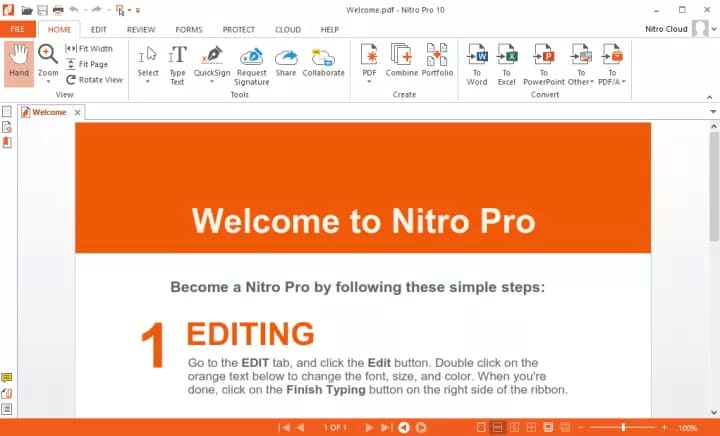
The Nitro Pro PDF editor offers many PDF editing features similar to other PDF editors for Windows x listed above. Its features include the ability to edit, create and merge, review, and collaborate, amid others. In addition, the Nitro editor will permit you to fill, sign, and secure your PDF files. Information technology supports all windows operating systems and comes in 2 versions, personal and business organization. The professional version costs $179.99 and has its own set of more than advanced features.
Pros
- It is easy to use and also fast.
- Includes OCR applied science for editing scanned PDFs.
Cons
- It is expensive in comparison to other top PDF editor software.
- The trial version has limited features.
Price: The professional version costs $179.99 with its ain prepare of features.
System Support: It can work on Windows XP, Windows Vista, Windows 7, Windows eight, and Windows 10/xi PDF editor.
three. Acrobat® Pro DC PDF Editing Software
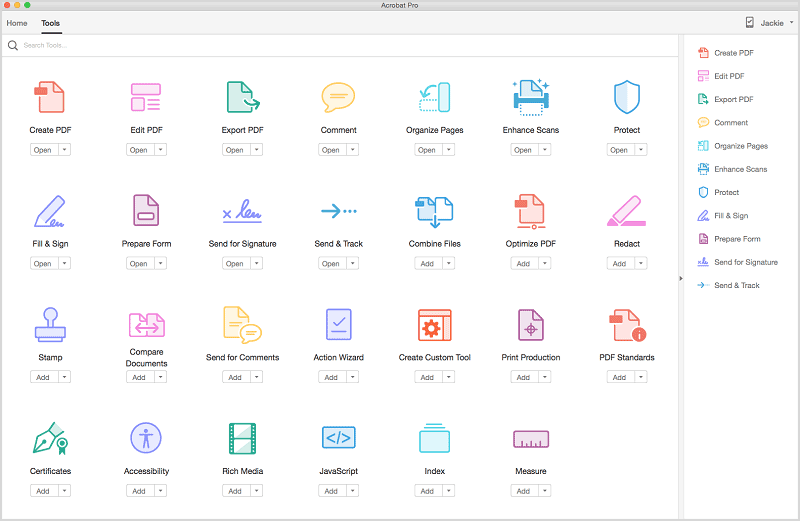
There is no doubt that the Adobe Acrobat PDF editor sets the pace for PDF editing and is widely regarded as the all-time PDF editing tool for Windows 10; however, it is considered to be overpriced. It is important to note that PDF editing is not just for large businesses but also for individuals and small businesses, and therefore the price is critical. But Adobe is however a great PDF editor with top-class features that helps users convert, edit, and comment, among other functions.
Pros
- I of the best PDF editors with elevation-notch features.
- It is easy to use with a decent and friendly user interface.
- OCR technology is bachelor to edit scanned PDFs.
Cons
- It is a more expensive PDF editor when compared to other alternatives.
- It may not be suitable for individuals and small-scale businesses due to the toll.
Cost: It costs $179.88 for 1 twelvemonth or $xiv.99 per calendar month for the subscription.
System Support: This PDF editor tin be compatible with all Windows systems.
iv. Foxit Phantom PDF Software to Edit PDFs
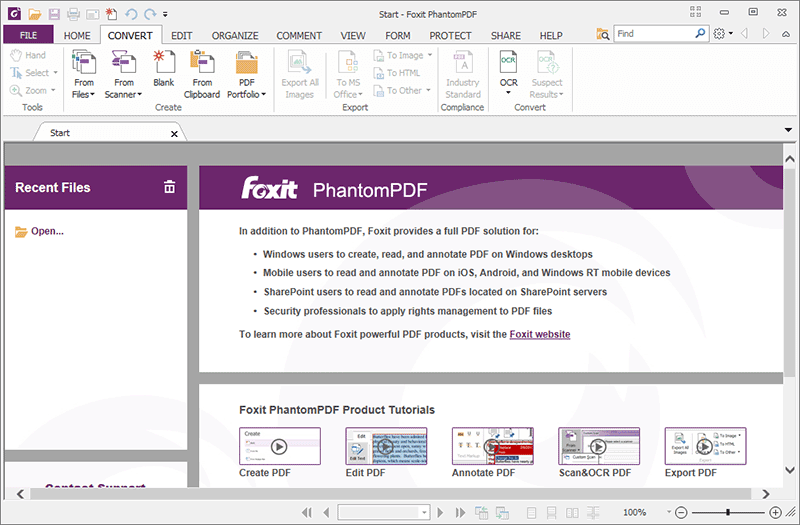
This is some other PDF text editor capable of editing your PDF files in Windows systems. Apart from the editing feature, Phantom PDF can also perform other functions, including merging and splitting PDFs, annotating and sharing PDF files, creating PDF forms, and converting PDFs to other file formats. What's more, yous can also add encryption to PDFs, redact PDFs, and sign PDFs.
Pros
- Provides a trial of 14 days to customers to endeavour it out.
- With the OCR function, users tin work with scanned PDFs.
Cons
- The trial version has express features.
- The user interface of this PDF text editor isn't as easy to use.
Price: It comes in 3 versions: standard, business, and education. The standard version is $159 in a one-time payment.
System Support: It supports all Windows systems as well.
5. AbleWord PDF Editor
This PDF reader and writer may not exist as well-known equally software, but it yet fabricated it on our list of the best free PDF editor tools for windows. It is also a discussion processor, which means that y'all can edit files hands like yous would with a word document. AbleWord supports reformat images, add or edit headers and footers, and tables, amid other useful functions. It likewise includes spell check and other functions.
Pros
- Information technology is easy to use and also free.
- It too supports some Microsoft Word features.
Cons
- It has limited features.
- Its output is not every bit good as another summit PDF editors.
Price: This is a gratuitous PDF editor. Merely install and apply it.
System Back up: It tin be used to edit PDF on Windows 10, Windows 8, Windows 7, and Windows XP.

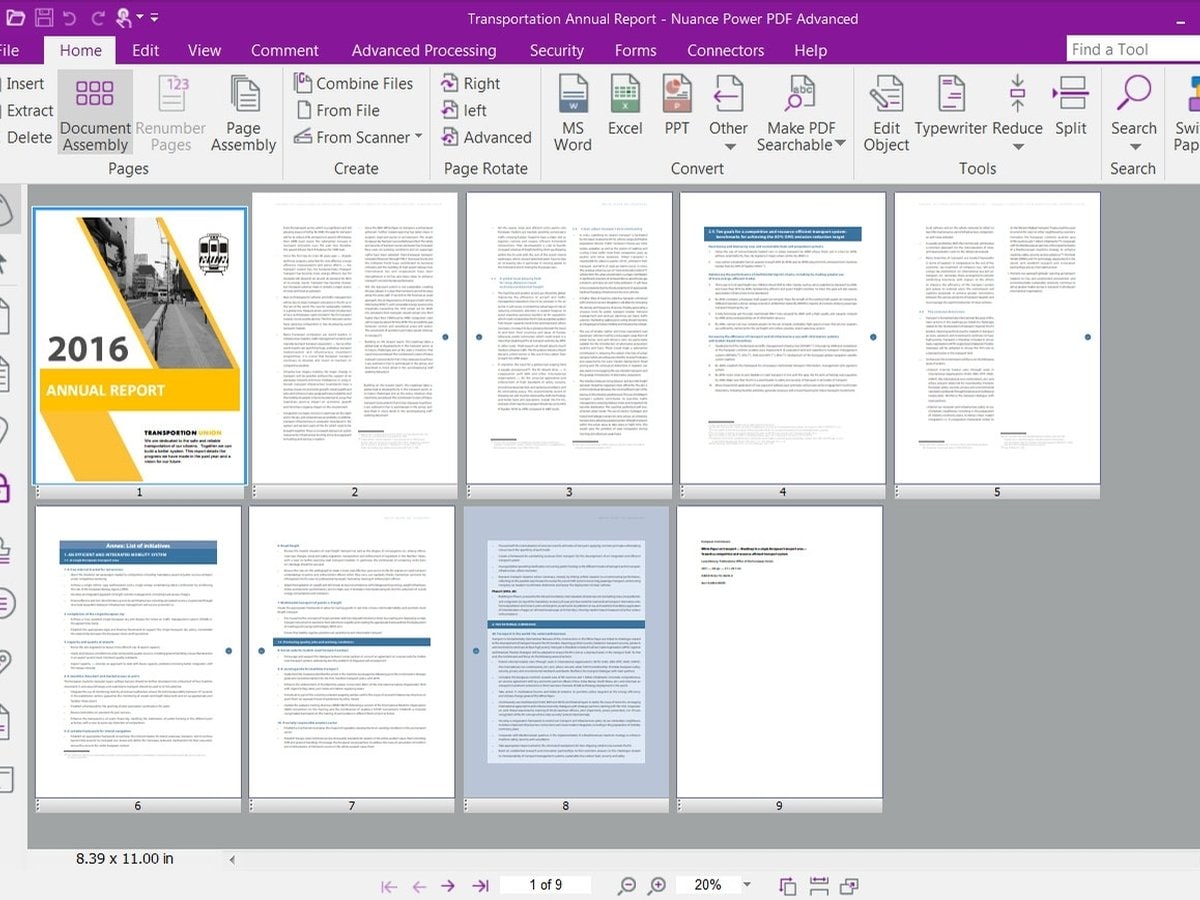
6. Dash Power PDF Program to Edit PDF
The Nuance Power PDF editor for Windows tin can convert, annotate, edit and add together encryption on your PDF documents. Every bit another best PDF editor software, this PDF editor also boasts unique features such as voice annotation recognition technology. This makes it possible to add notes to your PDF files by simply speaking them instead of typing them out.
Pros
- Offers the ability to edit, convert and perform many other functions.
- Comes with voice note recognition technology.
Cons
- More than expensive in comparison to other PDF editing alternatives.
- The UI is not user-friendly every bit some other PDF editors.
Price: The price for Nuance Editor is a bit on the high side, likely due to the voice note recognition technology. The cost starts at $149.
System Support: Information technology is compatible with all Windows platforms.
Choose the Right PDF Editor for Free Trial
| Features | PDFelement Download Download | Nitro Pro | Adobe®Acrobat® | Foxit Phantom |
|---|---|---|---|---|
| Compatibility | Windows, Mac, iOS, Android | Windows | Windows, Mac, iOS | Windows, Mac |
| Cost | Professional: $79.99/yr | $159 | Acrobat Standard DC: $155.88/yr Acrobat Pro DC: $179.88/yr | $99/yr |
| Conversion Speed | Convert 100 pages in 1 min | Catechumen 100 pages more than two mins | Convert 100 pages more than ii mins | Convert 100 pages more than ii mins |
| Easy to Use | ||||
| Keep Original Layout | ||||
| Batch Conversion | ||||
| No File Size Limitations | ||||
| Security | ||||
| OCR Characteristic | ||||
| Output Format | Discussion, Excel, PowerPoint, JPG, PNG, TIFF, BMP, GIF, Text, RTF, HTML, EPUB, HWP, HWPX | Word, Excel, PowerPoint, JPG, PNG, TIFF, Text, RTF | Word, Excel, PowerPoint, JPG, PNG, TIFF, RTF | Word, Excel, PowerPoint, Text, Image, HTML |
| Annotate PDF | Note, Markups, Typewriter, Text Box, Stamps, Highlight, Underline, Surface area Highlight, Zipper, Shapes, Cartoon, etc. | Note, Markups, Stamps, Shapes, drawings, etc. | Highlight, Markups, Shapes, drawings, etc. | Text Box, Note, cartoon, etc. |
| Edit Text and Images | Add together/Edit/Remove text, link, image; Alter the text color, font, align, line infinite, etc. | Add, delete, and change PDF texts and images. | Add together, delete, and modify PDF texts and images. | Add together, delete, and modify PDF texts and images. |
| Page Management | Insert, Delete, Crop, Rotate, Split, Extract, Supervene upon, Reorder | Add, Remove, Organize | Insert, Delete, Organize | Insert, Delete, Organize |
Part 3: TOP Gratis PDF Editor Online
There are a ton of options out there when it comes to using a PDF file editor free of charge, but many complimentary versions come with watermarks or require you to register yourself equally a user earlier you can enjoy the total functionality of the platform. Such applications, whether online or installable, can hardly be counted among the all-time gratuitous PDF editors. So, which are the true best PDF editors for free? Let's have a expect.
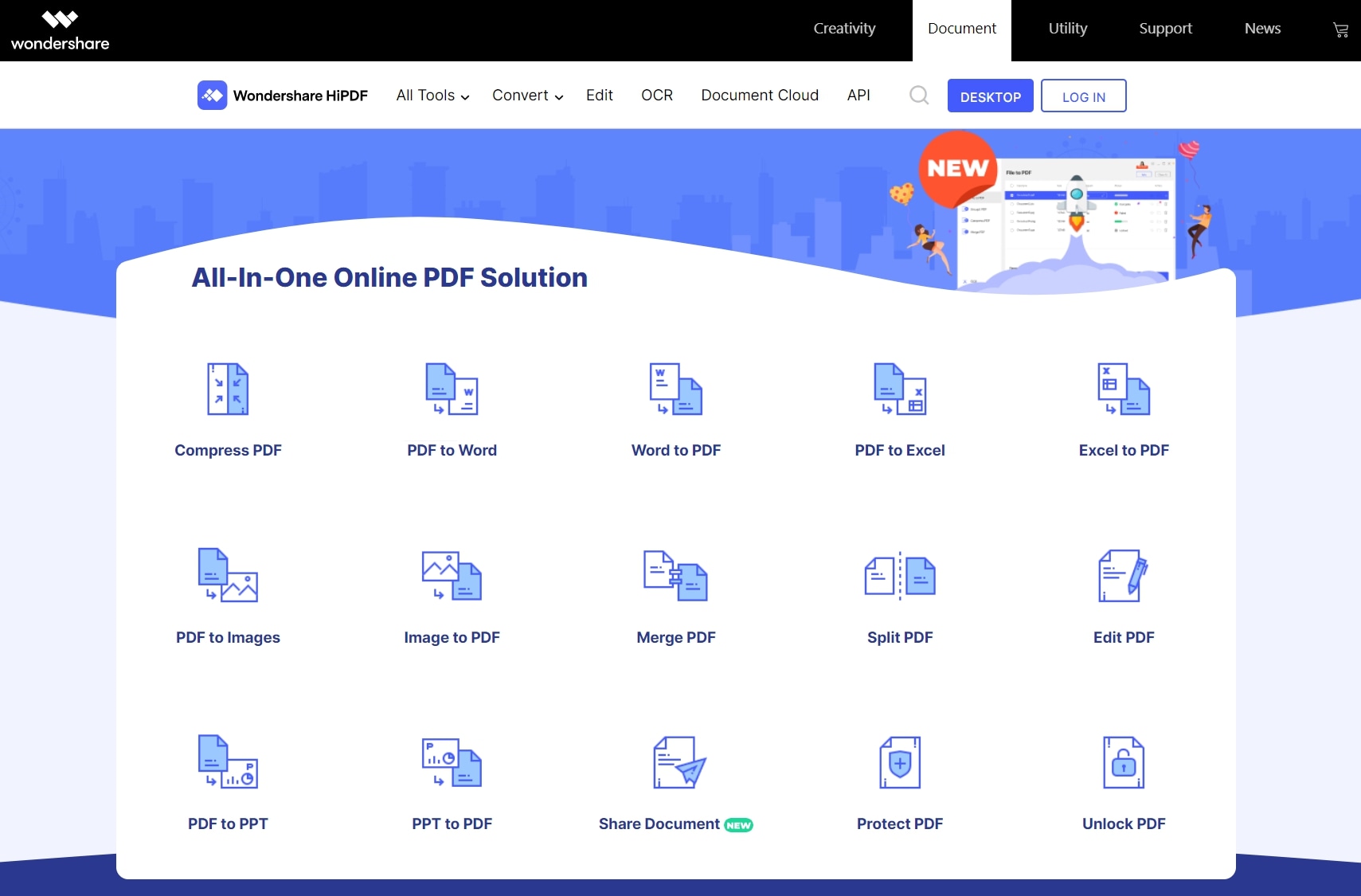
one. HiPDF - Unproblematic Online PDF Editor
Developed by Wondershare Engineering science as a complimentary online PDF editor, HiPDF gives you all the tools you need to stay on elevation of any PDF workflow. For editing PDF files, it allows yous to add texts, images, and shapes. Moreover, information technology includes a massive collection of PDF utilities for file conversions, encryption, PDF pinch, file and page management, OCR, API, and much more than. Information technology's a 1-stop online shop for all things PDF. Each office has a dedicated web page where y'all can upload your PDFs and other documents, process the task, and then download the file with no watermarks or other restrictions.
Pros
- Completely free, no strings attached; paid Pro pick with richer features
- A comprehensive range of utilities comprising a free PDF editor, converter, compressor, OCR, and other tools
Cons
- Documents are uploaded to the web, where they may be at hazard while in transit
- You will need a stable and fast Internet connectedness when working with large files or complex processes such as OCR
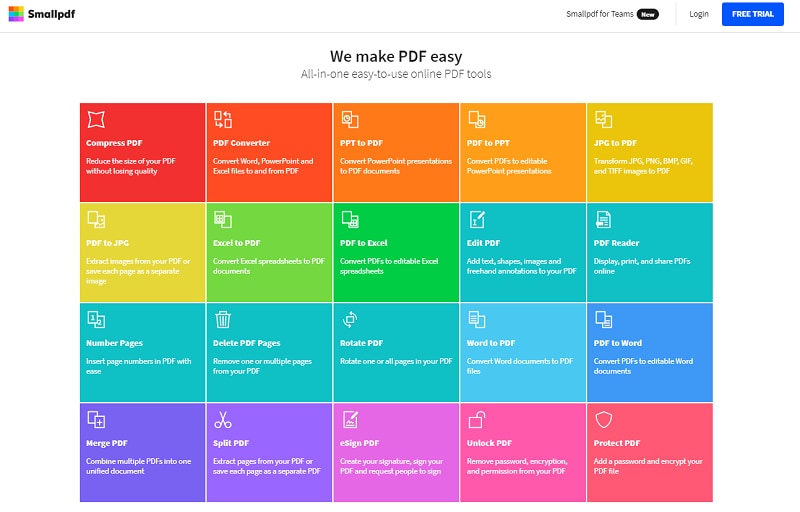
two. Smallpdf - Complete PDF Editor Online
Smallpdf is another well-known online PDF solutions platform. It offers an array of PDF tools such as a free PDF editor, file compression, file conversion, etc. merely the free version has a lot of of import features locked behind the paywall. Information technology's a corking service to employ when y'all're in an unfamiliar location and you need to access a PDF tool on a computer different from your own.
Pros
- Excellent file pinch tool
- Comprehensive PDF tools for conversion, editing, security, signing, etc.
Cons
- Users cannot set up the name of a processed file when saving it
- Doesn't practise well with large PDF files
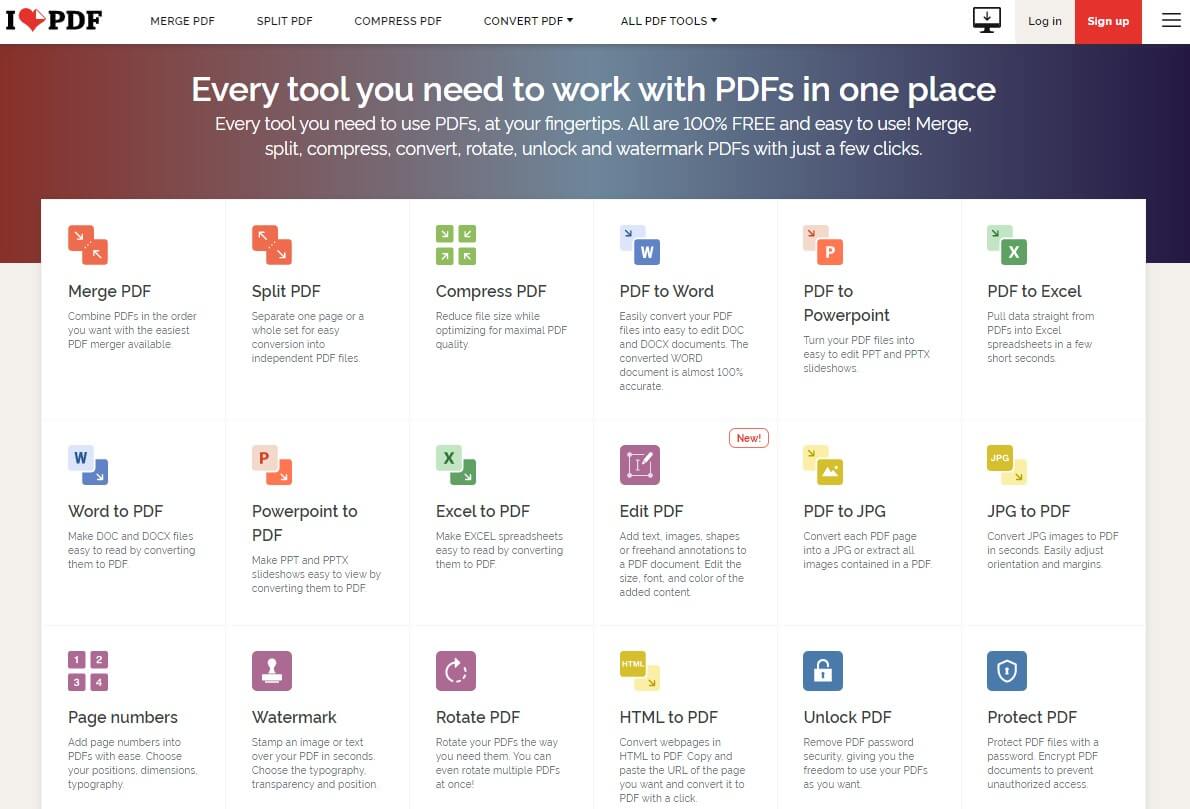
3. iLovePDF - Free PDF Editor
This online PDF service comprises a drove of useful tools for editing, conversion, compression, file and page management, and even PDF repair. While not as pop equally SmallPDF or HiPDF, ILovePDF offers a matching array of capabilities to help users handle relatively light document workflows.
Pros
- Limited "Catechumen to PDF" options
- No advanced tools such as OCR
Cons
- Users cannot set the name of a processed file when saving information technology
- Doesn't do well with large PDF files
4. pdfFiller - Online Free PDF Editing Tool
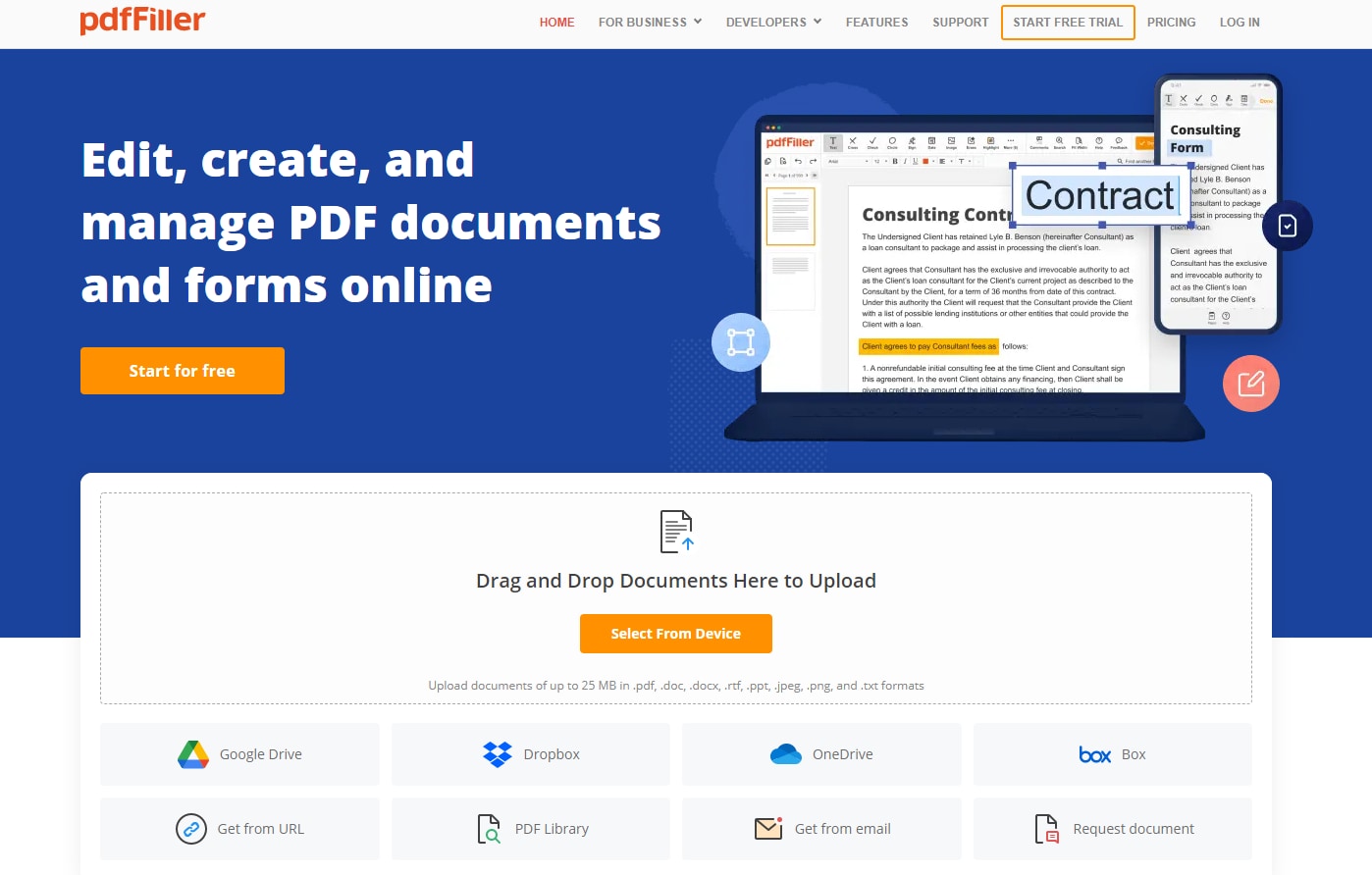
The tools in pdfFiller are laid out very differently from nearly other online PDF editors, and the focus is clearly on providing the correct tools to the correct type of user. As such, the company has various custom solutions for industries across healthcare, finance, legal, and so on. The online platform offers several important PDF tools required past business users from these and other industries.
Pros
- Solution-specific PDF tools
- API and 3rd-political party integrations
Cons
- The online platform is sometimes slow or unresponsive
- Express avant-garde features such as OCR and API
5. Sejda PDF Editor - Free PDF Editor
Sejda is a free PDF editor on our list, and this is due to its impressive features. Information technology allows you to edit your PDF files easily. Apart from editing PDFs, information technology can also add signatures on PDF files, add comments and links on PDFs, create fillable PDF forms, edit the content in PDF documents.
Pros
- You can edit an unlimited number of documents.
- There is no page or hourly limit.
Cons
- It is non as secure every bit other PDF editors.
- There is no OCR included in this online PDF editor.
- The user interface is not user-friendly.

6. PDF Buddy - Handy PDF Editor Online
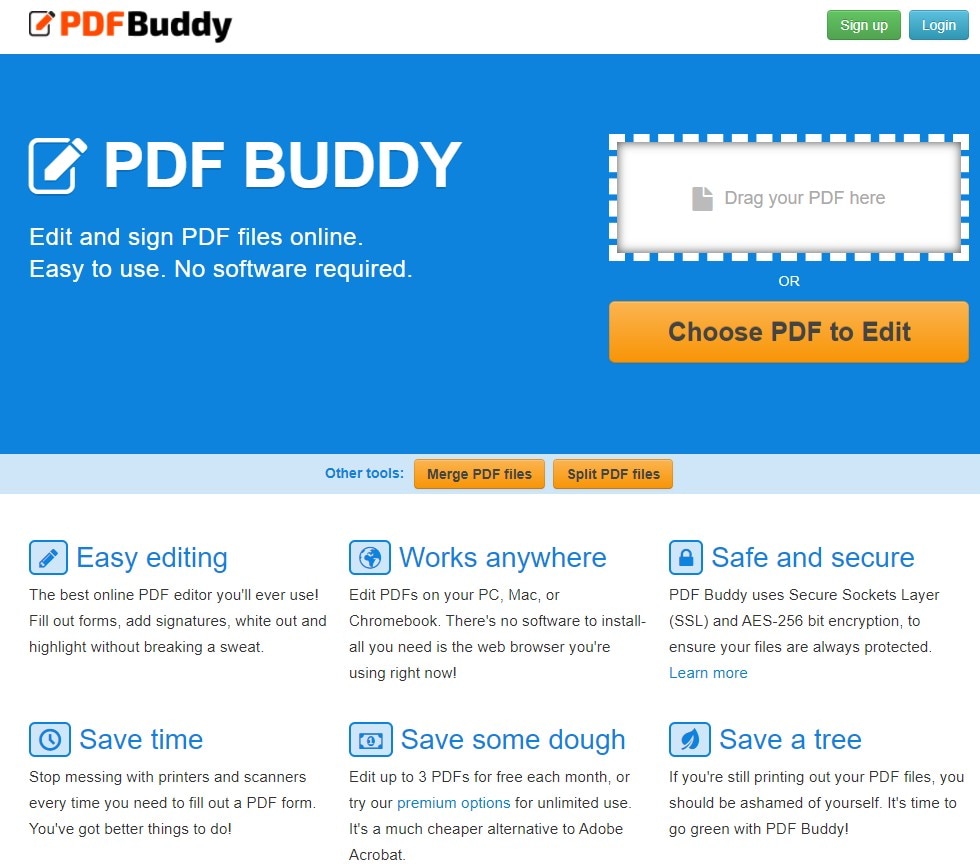
This is another one of the best free PDF editors in 2021. You do not need to download and install information technology on your PC to edit PDFs for complimentary. It is a free PDF editor for Windows that allows you to edit PDFs files online easily. There'south no need to download a PDF editor, as everything is done online.
Pros
- Uploading files and editing them is easy.
- The instructions are articulate, and you tin can complete tasks quickly.
- Signing up takes just a few minutes.
- Information technology is a free PDF editor for Windows.
Cons
- The features are limited, and so there are many things y'all might not be able to do with this editor. For example, you cannot merge PDF files using this tool, and you tin't use it to create a PDF file.
- The security and privacy of your documents are a concern with this editor because all edits are done over the internet.
Function 4: Online PDF Editor VS PDF Editor Offline
The differences betwixt the online PDF editor and the ones that you install on your PC are vast. Since desktop applications tin apply your local resource in a more efficient way, they're able to perform complex tasks such equally OCR or treatment large PDF files. Here's a quick look at the main differences:
| Online PDF Editor | Desktop PDF Editor |
| Works on browsers on continued devices | Can piece of work online when connected to the Cyberspace; primarily works offline |
| No installation needed | Requires installation |
| Usually lightweight | Heavy application |
| OS-specific | Bone-agnostic |
| Can handle heavy tasks, big PDFs, etc. | Usually unable to handle heavy workflows |
| Greater security | Security is at take a chance when documents are in transit during the upload/download procedure |
| Recommended for own or function computer | Recommended on guest machines and other devices |
There are several reasons why desktop editors are better than online PDF platforms, some of which have been outlined below:
Disadvantages of Online PDF Editors:
- Potential security risk, as mentioned in the table above
- Slow Net connections tin interrupt processes and corrupt files
- Confidential files will reside on unknown servers for at least a few hours
Advantages of Editors for Desktops:
- Fast and responsive user experience
- Work deeply offline with no possibility of data leaks
- More powerful features are available since local organisation resource tin be used effectively
Part v: Which Blazon of Free PDF Editor is Best for You?
Choosing a PDF editor is definitely not a job for the faint-hearted, and it'due south because in that location are and then many online and offline tools available for PDFs that it'south incommunicable to endeavour them all. In general, HiPDF is one of the top recommendations for a gratis PDF editor online, but its sister product from Wondershare is an equally powerful contender in the desktop PDF editor category. If you want to narrow it down for a more robust user experience, then a costless PDF editor for desktops is the category y'all want to pursue, and Wondershare PDFelement Pro is exactly what you're looking for.
The Best PDF Editor for Windows - PDFelement
As 1 of the top-rated PDF applications available today for Mac and Windows, PDFelement is an award-winning product from one of the most prolific software development companies in the realm of productivity and inventiveness tools. The electric current version of PDFelement Pro is the effect of several years of feel with before iterations and continual development through enquiry, customer feedback, and other important channels. Here are some of the things that set it apart from the crowd of PDF editors on the market place today.
- Attractive and intuitive interface that brings minimalistic pattern to a whole new level
- Clear and well-baked labeling, iconography, page layouts, etc.
- Easy navigation despite beingness feature-rich
- Features include file conversion, editing, annotations, east-signatures, countersign security, forms management, OCR, page and file organizing, file size optimization, viewing, printing, sharing, batch processes, etc.
- Fast app launch and document open times
- Handles heavy workflows like a cakewalk
- Hundreds of free templates (Windows PDFelement Pro users)
- Integrated with Wondershare Document Cloud for PDF storage and bulk east-signature service
What types of content in PDF you tin can edit using PDFelement?
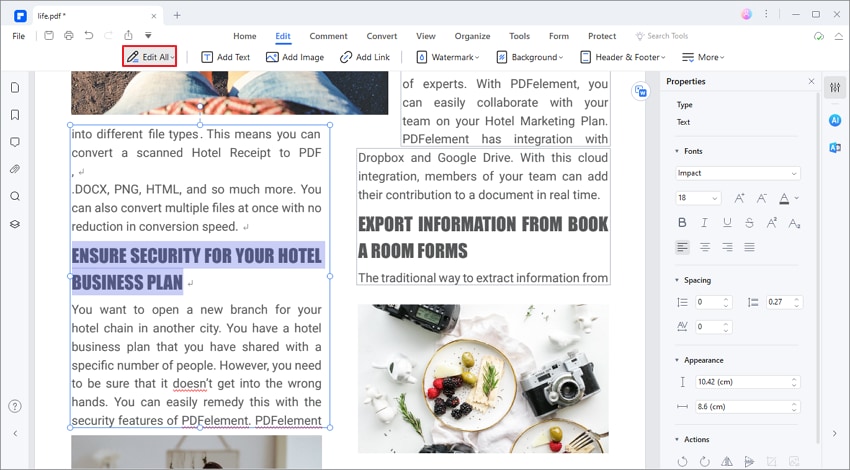
- Text - add, edit, and delete text, change the text font, color, align, line space, etc.
- Image - rotate, extract, supervene upon, overturn the prototype, change its position and size.
- Link - add together, edit, or remove the hyperlink and its appearances, such equally colour, type, highlight style, line style, and line thickness.
- Watermark - add watermark, edit its position, the proportion of pages, color, opacity, etc., or remove the watermark.
- Background - add and edit the groundwork color and image or remove the background.
- Header and Footer - add or delete the folio number, header and footer, edit their font,c color, position, style, folio range, and so on.
- Bates numbering - add, edit, and delete text, alter the text font, color, marshal, line space, etc. add together and edit bates numbering, including the font, size, style, position, etc.
When yous're on the go, HiPDF tin assist you no matter which reckoner you're using, and for your dwelling house and office computers, PDFelement Pro comes highly recommended by users and professional reviewers alike.
Free Download or Buy PDFelement right at present!
Gratis Download or Buy PDFelement right now!
Buy PDFelement right now!
Buy PDFelement right now!
DOWNLOAD HERE
Posted by: hillfortaged.blogspot.com
Post a Comment